Nintendo… You’re really starting to make me worry about an NX delay. Please start talking.
Mysterious Nintendo patents are continuing to surface… could these be for the NX? And why is Nintendo taking so abnormally long to discuss their next console? All this and more in Scott’s Crew Cut!
Shot by Alex Campbell
“Reformat” Kevin MacLeod (incompetech.com) Licensed under Creative Commons: By Attribution 3.0 http://creativecommons.org/licenses/by/3.0/
I love every Nintendo controller, but some are easily better than others. Today we’ll take a look at my personal ranking of Nintendo’s controllers from best to worst, and the reasoning behind it. Remember, this list is entirely my opinion and yours could be completely different.
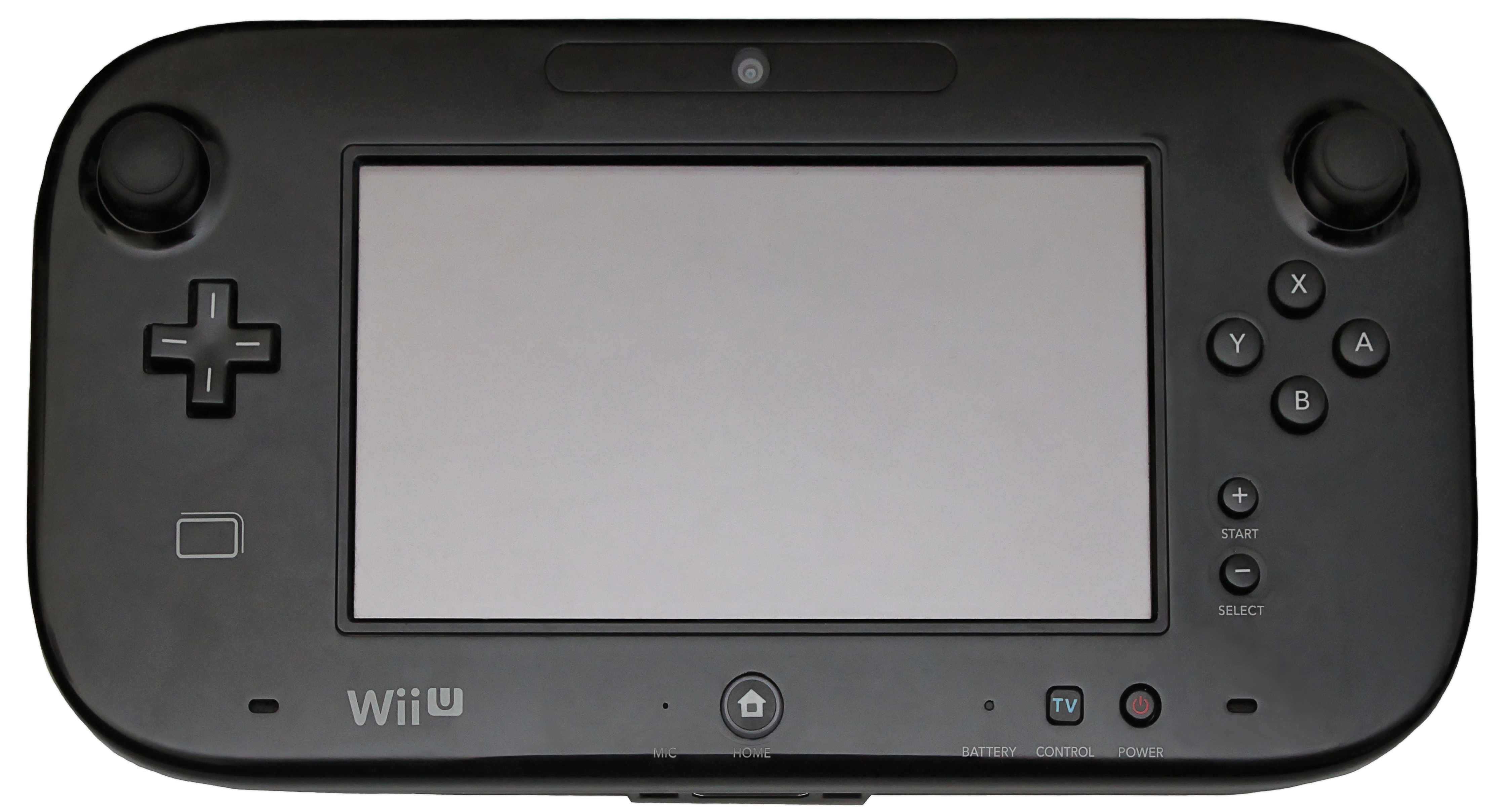
7. Wii U
The main problem I have with the Wii U gamepad is when a game gives me the option to use the Wii U Pro Controller, I use the Pro Controller every time. While the touch screen is insanely helpful for a map in Splatoon, or item management in The Legend of Zelda, the gamepad never had a very compelling reason to justify the second screen in my mind. I only ever used the off TV play a handful of times, because the resolution on the gamepad leaves much to be desired.
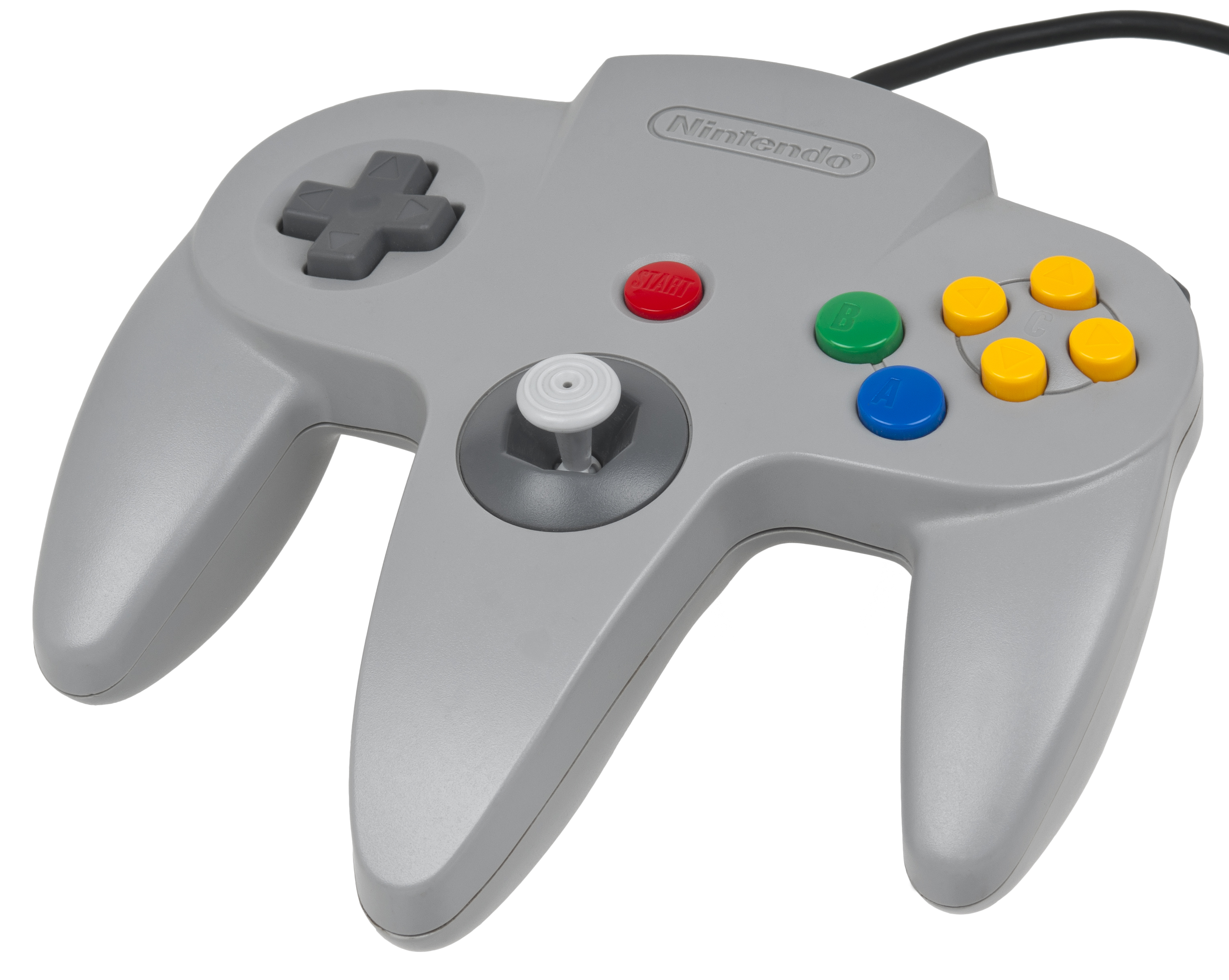
6. Nintendo 64
The Nintendo 64 controller was designed for people with 3 hands. I only ever knew of a few games that even used the D-Pad because it was located off to the side, but I loved the control stick and the Z-button as a trigger was amazing.
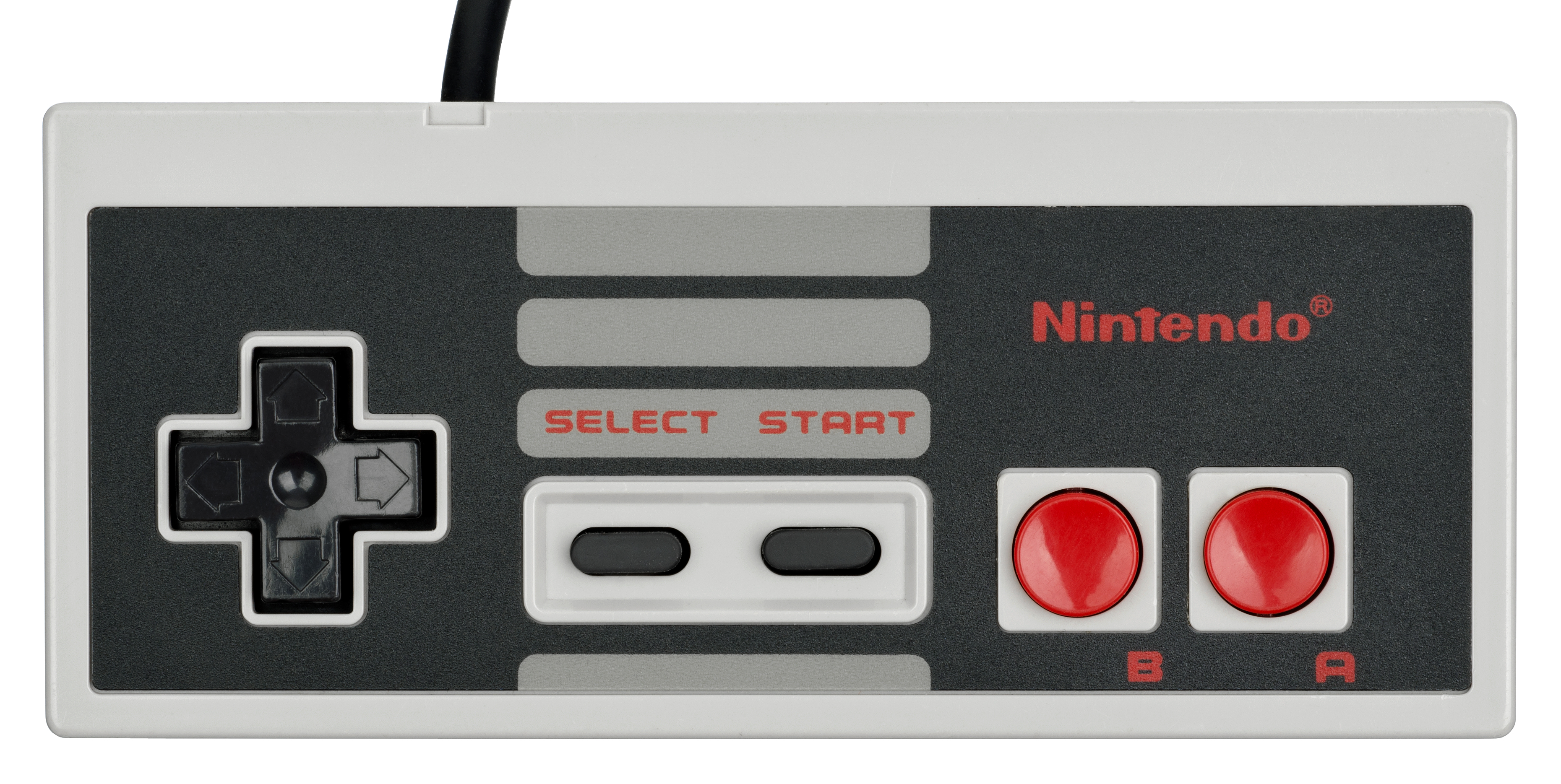
5. NES
Simple. Clean. Classic. It doesn’t get much easier than this. The fact that almost anyone can pick up an NES controller and play because of its simplicity is amazing. Truly a monumentous achievement when your original controller still holds up so well today. The only thing holding this one back is the square design. While it looks amazing, it can become uncomfortable to hold during extended play sessions.
4. Virtual Boy
Only used to its full potential a couple times, but easily the best part of the console. The L and R buttons located on the back is fantastic and the dual D-pad was great for added control. Created with a mirrored design meant that games that only used one D-pad let the players pick which one they wanted to use, so whether you were left or right handed you could pick what felt comfortable.
3. Wii
Not everyone loves motion control gaming, but the Wii did it right. The controller was designed to be similar to a TV remote for ease of use with all demographics. They nailed it. The main thing I didn’t like about it was the 1 and 2 buttons were far down on the controller, but they were usually used for menus and map anyhow. As an added bonus you can plug in the nunchuck attachment for added control-ability or turn the controller sideways and it essentially becomes an NES controller. Brilliant.
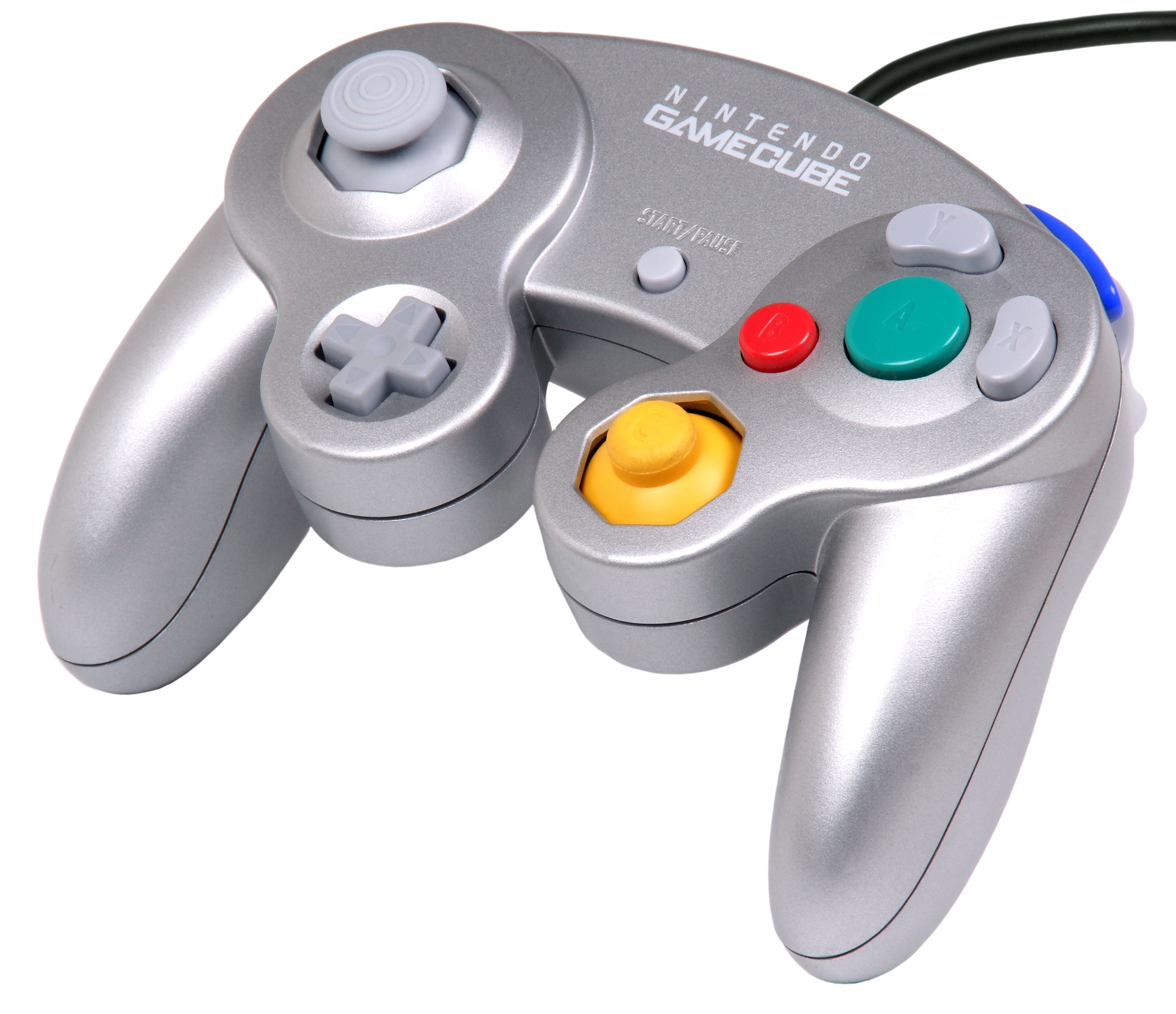
2. GameCube
ABXY? Check. L and R? Check. Dual analog? So close! The main thing holding this controller back in my mind is the tic-tac C-stick. There’s a very good reason it’s many peoples go to controller for Smash Bros. to this day. Very comfortable and great button placement. You could even update your default controller to the Wavebird for wireless gaming.
1. SNES
Nintendo took the NES controller and improved on it in every way. Rounded so it was more comfortable, added buttons for more functionality, but still incredibly simple and user friendly. It really doesn’t get any better than this.
That’s all of them, folks… for now! I can’t wait to see where the NX will end up on this list. Be sure to let me know how your list compares!
Scott and Simeon recently ranked all of Nintendo’s consoles! Check out Part 1 and Part 2 to see how they stack up!
Scott does his very best unintentional Obama impression.
We’ve played a few pranks on Nintendo Customer Service before, but today we’re branching out to see if the folks at GameStop can give us help finding some gaming-related products!
Shot by Alex Campbell
“Reformat” Kevin MacLeod (incompetech.com) Licensed under Creative Commons: By Attribution 3.0 http://creativecommons.org/licenses/by/3.0/
Note From the Author: The game discussed in this article, Phoenix Wright: Ace Attorney – Duel Destinies, has been rated M for Mature (ages 17+) by the ESRB for the following: violence, blood, suggestive themes, and language. That said, this article focuses only on the game’s mechanics and should be appropriate for all audiences. Please use care and caution when deciding what games are right for you and your family.
I typically don’t play story-heavy games during the school year: they take a long time to beat and all of that pesky suspense and intrigue makes them hard to pull myself away from. So when summer rolled around earlier this year, I decided it was high time I got around to playing a game I’ve been meaning to tackle ever since it came out way back in 2013, Ace Attorney: Dual Destinies.
After slogging through other plot-driven games in the past solely out of pride (I beat games, not the other way around), I figured that I—a busy adult with things to do—simply had grown out of those types of games. As such, I went in to Dual Destinies with fairly low expectations.
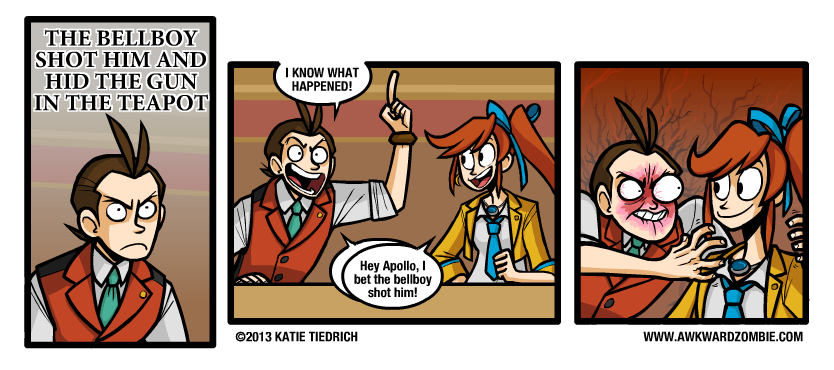
It didn’t take me long to remember one crucial piece of information: I like the Ace Attorney series…a lot. This game is no different. While not the strongest entry in the franchise (clumsy writing in places, too much hand-holding, and not nearly enough Trucy Wright), Dual Destinies still managed to impress me, especially where I least expected it: the game mechanics.
The game does have an annoying habit of spoon-feeding the player.
The Ace Attorney series is no stranger to introducing new gameplay mechanics and gimmicks, but until Dual Destinies, I honestly can’t think of a game in the franchise that took existing elements and trimmed the fat. Overall, the game has the best pacing and flow of the entire series, which is why I think it’s the perfect candidate for a case study on how to streamline gameplay mechanics. Court is now in session!
Dual Destinies managed to impress me, especially where I least expected it: the game mechanics.
Opening Statement: The Investigation Phase
Cases in the Ace Attorney franchise are generally split into two distinct parts: investigations and court sessions. For anyone not familiar with the franchise, defense attorneys in the Ace Attorney universe are two parts lawyer and one part private investigator. They question witnesses, search for clues, and sneak evidence out of crime scenes when the cops aren’t looking, all to prove their client’s innocence. This portion of the job is represented in gameplay with what’s known as the investigation phase and plays much like a traditional adventure game in the vein of the Monkey Island series or Princess Tomato in the Salad Kingdom. These segments of the game are often the longest, and fittingly, most of the trimming the game does is in these portions.
Defense attorneys in the Ace Attorney universe are two parts lawyer and one part private investigator.
Exhibit A: The Search Command
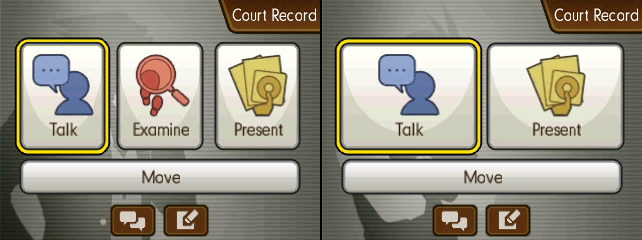
Like many adventure games, players in Ace Attorney games must search the environment to find items they can use, in this case evidence to prove their client’s innocence. The examine command brings up a cursor that the player can then use to click on objects in the environment to investigate them. Now, not everything the player sees in an area is going to be evidence (Phoenix’s office plant, Mr. Charlie, for instance), and when clicked these objects, instead of advancing the plot, will just trigger some flavor text wherein the protagonist and his plucky sidekick humorously palaver on about the object in question (#TeamStepLadder).
A typical investigation from the first game.
Now, in games prior to Dual Destinies, every location was searchable, even if there wasn’t any evidence there (I’m looking at you Wright & CO. Law Offices). This meant players were expected to search every area. Just because a murder occurred in, say, a public park doesn’t mean the player won’t end up searching an abandoned doctors office for clues on the whereabouts of the true killer’s lost shoes.
In games prior to Dual Destinies, every location was searchable, even if there wasn’t any evidence there.
While conventional wisdom looks down on limiting what the player can do, sometimes it can improve the overall experience.The search cursor before and after examining an object.
Dual Destinies improves on this feature in several ways. First, the game limits use of the examine command strictly to crime scenes. This means that there’s only ever one searchable location for the player to worry about at a time, unlike previous games that let the player switch between searching multiple areas, each of which could change depending on event flags. More over, the game now has the courtesy to inform players when they’ve found everything they need, which too often wasn’t clear in previous titles. Lastly, Dual Destinies introduced the ever so subtle—but oh-so-useful—addition of having the cursor take the shape of a check mark if the object being highlighted by the player has already been investigated. Considering that many of the conversations triggered when clicking on something could be quite long, even with fast forwarding, this U.I. feature is something longtime fans can appreciate.
And to top it all of, despite the newly imposed restrictions there’s still plenty of that sweet, sweet flavor text.
Exhibit B: The Travel Menu
Locations in the Ace Attorney series are normally static, disconnected, one-screen “rooms” that the player travels between via selection from a menu. It’s about as utilitarian as it gets, and yet Dual Destinies still managed to smooth out the rough edges. See, for whatever reason, previous games in the franchise had a four option limit on the travel menu, meaning the player could only travel to four other locations from any given area. The way the developers got around this—quite frankly arbitrary—limit was to have each area have its own list of destinations. So, for example, if the player wanted to go from the detention center to the crime scene, they may have to travel to back to Wright’s Office, then to the front door of the building the body was found in, and then to the actual crime scene.
Of course, a sleek, afigimatiko-dynamic game like Dual Destinies isn’t about to put the player through all that for something as simple as getting from point A to point B! Enter the magic that is “scrolling”! With this space-aged technique, players now have the uncanny ability to pick any location from anywhere in the game simply by “scrolling” between options! (Restrictions may apply in accordance to plot demands.)
The Ace Attorney series is known for its inclusion of supernatural elements; scrolling was only a matter of time.
Exhibit C: The Notebook
Anyone who’s played an old-school adventure game can tell you that the worst thing that’s guaranteed to happen to the player at some point is getting stuck without any clear directions. This is why many modern games of all genres keep an objectives list or provide a character who the player can ask for advice at any time. Unfortunately, until Dual Destinies the Ace Attorney games fell into the old adventure game trap of not always giving the player clear directions on what to do next. To make matters worse, N.P.C.s had an annoying tendency to just up and disappear until the player triggered the right event flag. This led to the player constantly going back and forth after every event to see which N.P.C.s had returned to their post and who had new dialog options.
Oh right, I was investigating a murder! I should really get back to that…
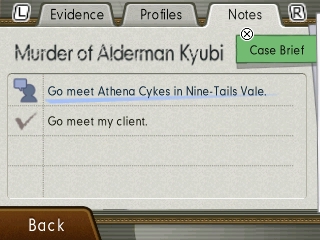
Dual Destinies introduced an extra section to the court record (basically the player’s inventory screen) for notes—which in this case is more of a checklist than a place for the player to jot down information. Any time the player isn’t sure what to do next, they can just open the court record, hit the notes tab, and be on their way. Admittedly, Dual Destinies’ plot is structured in such a way that the player rarely needs extra input, especially once you factor in the previously listed enhancements, but the handful of times I did need it, I greatly appreciated the fact that I could just hit a few buttons and continue the game instead of wandering around in circles for ten minutes.
Any time the player isn’t sure what to do next, they can just open the court record, hit the notebook tab, and be on their way.
Closing Thoughts
What I hope to get across is how seemingly small changes eventually add up. Small U.I. improvements can help better communicate information to the player, which leads to less time spent on tasks that slow progression. Moreover, limiting when a player can perform certain actions—like investigating their environment—can keep them from getting side-tracked or lost. In Dual Destinies’ case, the end result is the first Ace Attorney game that didn’t have me at a complete loss for what to do next at any point. As I mentioned in the beginning of this article, it’s not necessarily the best game in the series (my personal favorite is Apollo Justice), but I will say right here and now that it’s the best structured and paced, all because the developers weren’t afraid to make some compromises regarding many of the accepted, long-standing conventions of the series. I’ll miss you, dear glut of humorous flavor text, but I can’t deny the game’s pacing is better off without you.
About the author:
Glen is a lifelong Nintendo fan and has been an Ace Attorney enthusiast ever since he first played Apollo Justice: Ace Attorney back in 2008. His love of video games has inspired him to pursue a career in computer programming and is currently studying to get a masters in computer science. Despite his name and choice of professions, he is in no way related to Glen Elg.
With the announcement of the NES Classic, it’s inevitable that the big N is going to come out with an SNES Classic sooner or later. Today we’re talking about its inevitable library!
Shot by Alex Campbell
“Reformat” Kevin MacLeod (incompetech.com) Licensed under Creative Commons: By Attribution 3.0 http://creativecommons.org/licenses/by/3.0/
Recently I got the opportunity to go to a Pokémon Go meet-up in Grand Rapids, Michigan, and let me tell you: it was an absolute blast!
What started out as a Facebook event for a few friends quickly got shared by an astounding amount of people and turned into thousands. The creator of the event had intended it to be 25-30, but the end result was 5,300 going and 7,500 interested. I would easily estimate 6,000 people ended up attending, if not more.
If there are 4 Pokéstops in one area, they will come.
The corner pictured above was standing room only, and was quite a scene to behold. Teams wore clothing and glow-sticks to match their team color and every once in a while trainers would chant their team names.
The best way I can describe it was civilized mayhem. It was awesome.
Everyone was in on Pokémon Go that night. All the local news outlets were there, people made t-shirts and stickers to sell, even the local businesses (if they were smart) were getting in on the action with discounts for hungry or thirsty trainers. Both businesses and trainers were turning almost every Pokéstop into a lure. Everywhere you went Pokémon were popping up constantly. Luckily there are plenty of spots to refill all those Pokéballs you were bound to throw.
Lures galore!
The sense of community this game brought out in everyone was a really great thing to behold as well. If a rare Pokémon had spawned, someone would always yell it out so others could join in. I was lucky enough to do it once for a Dratini that had spawned by a bridge, and boy did they come running.
If you have a Pokémon Go meet-up near you I highly recommend you check it out. Plus, the more people playing in a given area, the more chance for a rare Pokémon to spawn! I’m more of an introverted person with people I don’t know, but I had a lot of fun talking to fellow trainers I had only just met. This night will easily be going into my (non-existent) gaming scrapbook.