The “sequel” to Super Mario World on SNES, Yoshi’s Island, is a very different kind of platformer! With MANY things to collect, crying babies to carry, and plenty of eggs to toss, this is an oddball entry in the Super Mario series. But we love it.
“Exit the Premises” Kevin MacLeod (incompetech.com)
Licensed under Creative Commons: By Attribution 3.0
http://creativecommons.org/licenses/by/3.0/

SNES
Why I Love Nintendo
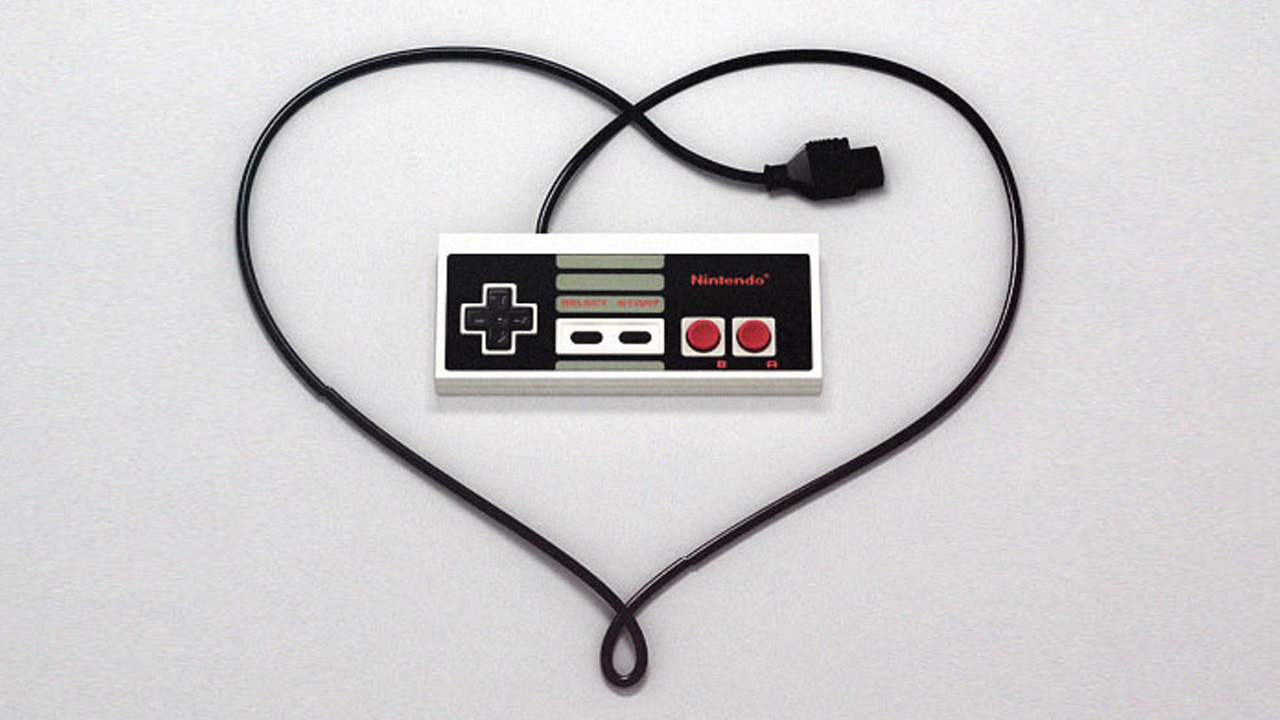
Contrary to popular opinion from the outside, being a Nintendo fan is not always mushrooms and sunshine. It can be unforgiving, inviting ridicule from fellow gamers, the gaming community, message board commenters, and even friends and family. But being a Nintendo fan is always worth it for me, which leads to the question I get a lot: Why Do You Like Nintendo?
From Sega to Nintendo
My gaming history stretches back to the glorious 16-bit Console Wars between the Nintendo and Sega. I owned both, but I got more use out of my Sega Genesis because kids at school would make fun of me if they knew I liked Nintendo. Sega was cool. Sega was hip. Sonic was fast with attitude and Mario was slow and boring. Secretly, I liked Nintendo as well, but my heart was with Sega. I also owned a Nintendo 64, but I had a Sega Saturn as well and that was my priority. This lasted all the way until the Dreamcast was discontinued, and my gaming tastes defaulted back to Big N.
The current console at that time was the GameCube, which ended up being Nintendo’s second lowest selling home console in history. Sony’s PlayStation brand and Microsoft’s Xbox were the new hip kids on the block, and Nintendo was accused of being a kiddie machine. Outside of a few games that were geared towards a mature gamer – like the then-GCN exclusive Resident Evil 4, Geist and a few others… the GameCube got most of its milage out of family friendly games. If you didn’t like twenty Mario Party games, the GameCube was not for you.
But it was during this era something was rekindled inside me. While Sony and Microsoft began to push online gaming, Nintendo doubled down and continued to focus on the fun of couch multiplayer – games you can play with friends in person and have a blast.
During the very successful Wii era, Nintendo’s dedication to multiplayer games was at its peak. Wii Sports, perhaps the best pack-in game ever, was a prime example of the kind of fun video games could represent. Despite how much it can be ridiculed now, I defy anyone to say that their first few times playing Wii Sports was not fun. It was a lot of fun. That’s what propelled the Wii to sales of over 100 million worldwide.
The Wii U somewhat faltered in this aspect, but the new Switch console has put a heavy emphasis on it again, with games like Mario Kart 8 Deluxe, ARMS and Splatoon 2 all out within the first few months of the system’s debut. Gaming is fun again.
Soooo, Why Do I Love Nintendo?
All that being said, I love Nintendo because, to me, it just represents a good time. When I think of the PlayStation 4 or the Xbox One, I think of shooters like Call of Duty or games like Grand Theft Auto. I’m not saying those games have no worth, or that they aren’t entertaining or even visually astounding… but when I want to just have a fun time with friends, or a game I can just pick up and play at any given moment without an investment of 40 hours a week I choose Nintendo. Gaming shouldn’t always feel like a chore where I am punching a time clock to advance.
Certainly, Nintendo does have games that fall into that category. The recent and highly-reviewed The Legend of Zelda: Breath of the Wild does for sure as it is an adventure game much in the style of Skyrim, but where I feel Nintendo separates itself from its competitors is how that genre of games isn’t all they have. There are more than just adventure and sports games on the Switch this year. There is also fun.
Take a very simple game like Snipperclips, a co-op puzzle game in which you play as pieces of paper and you have to snip each other in order to match certain shapes or get objects from one side of the screen to the other. It sounds simple enough, but its magic is in the gameplay. I haven’t had so much fun in a co-op game in a long time… it was fun, funny, and charming – and challenging as well, as the game progressed. It’s a game that you and your significant other can play, or your younger sibling or cousin. It is the epitome of what beloved Nintendo President Satoru Iwata always believed video games should be – It’s fun for everyone.

Nintendo’s roster of happy characters and cute enemies just bring a smile to my face. I’ve used this word before, but looking at the E3 trailer for the upcoming Super Mario Odyssey is just pure magic. It is what I call “Nintendo Magic.” Playing their games can make anyone forget their troubles for an amount of time and make everyone feel like a kid again. Personally speaking, I struggle with depression and anxiety, so my choice to play games of this nature is not only a preference but a very meaningful choice as well. Nintendo makes me smile.
Their first-party games are consistently of very high quality. Sometimes their franchises don’t progress enough, but then they hit you with a Breath of the Wild or a Super Mario Odyssey, which completely changes your expectations and takes you by surprise. And I will never get tired of them.
Standing Strong
It isn’t easy being a Nintendo fan. When the two other major consoles are blowing the doors off the building with the latest Call of Duty, Metro or Assassin’s Creed games, Nintendo creates buzz with Mario or cartoonish characters like in ARMS. This comes with a price, because Nintendo and their fans are easy targets. Buying some Nintendo content can result in a mocking comment from a cashier – a friend recently told of a McDonald’s cashier laughing when he went to order a Mario Happy Meal toy to complete his collection. Playing Nintendo games can mean ridicule from people who like to point out that Nintendo’s consoles dating back to the Wii have not been in the same league as competing systems as far as power and graphics.
All of this, though, can make fans even more dedicated. There is a reason that small groups popped up around the world in major cities for 3DS gamers to swap streetpasses and puzzle pieces and play Mario Kart 7 with each other. There is a reason why holding a meet-up for the newest Animal Crossing game attracted more than dozens of people at every stop during a Nintendo Mall Tour. There is a reason why VANS made a very successful line of Nintendo themed shoes last summer. There is a reason why people love their franchises so much that just a simple title card for Metroid Prime 4 at E3 made the internet meltdown in a frenzy of wild, screaming excitement. There is a reason why people love the company so much that even PR reps (like Bill Trinen or Kit and Krysta from Nintendo Minute) are elevated to near-celebrity status. There is a reason that Nintendo can get away with having one single retail store in New York City and fans will travel from all over to visit it as if they were going to Disney World. The ridicule and snubbing we tend to get from other gamers and game publishers who skip developing games for Nintendo systems just makes me feel like connecting with other Nintendo fans is a major event. We are a community of fans who feel slighted in one way or another, and it makes us feel like we are all in this together. It is so much fun to get in a group of fellow fans and just talk about anything and everything. Attending a Nintendo Switch Preview Event in Chicago this past February was fun in part because of trying out the then-yet-to-be-released system, but largely because of being surrounded by fans, talking about games, seeing people dressed up in Nintendo cosplay, and just being one with the excited community. It was not unlike the feeling you get going to a Comic-Con – it just felt right.

Nintendon’t Sometimes, and That’s Okay
This is not to say that competing systems don’t have dedicated communities or “fun” games, nor does it mean that Nintendo is perfect and doesn’t have any faults. But Nintendo doesn’t play by anyone’s rules but their own. Sometimes that can be a bad thing, but I feel it is mostly a positive. They focus on fun, they focus on being together, and they focus on gaming together. There is a level of fun that online playing just can’t compete in comparison to couch multiplayer. Hitting someone with a red shell in Mario Kart, or stealing all of their stars in Mario Party may be the source of “ruined friendship” memes, but the competition of playing right next to a friend is just a level of satisfaction that can’t be matched. Even though I enjoy a fair share of “mature” games, I will almost always choose the fun of Super Mario Odyssey over the carnage of a Grand Theft Auto. And I will definitely choose a company that will always continue to offer those games to me even when they offer the M-rated stuff.
The Nintendo Magic is why I fell in love with Nintendo. It’s why I put up with some of their occasionally questionable decisions. Their games, characters, and universe just never cease to make me smile and it makes me happy… and isn’t that what gaming is supposed to be about?
Eric “Flapjack” Ashley has been a Nintendo fan for almost his entire life! While he also has a special place in his heart for Sega, it is Nintendo that gets him worked up and the franchises that capture his imagination and wonder. Flapjack is hopelessly in love with Animal Crossing. When he is not playing video games, he is a social media guru, assisting numerous organizations with their outreach and promotions, and he is also a big horror movie buff. Follow him on Twitter and Instagram: @flapjackashley.
Are Classic Editions the New Virtual Console?
We will be attending Classics Anonymous.
“Virtual Console” isn’t a term that we hear much these days, especially compared to all the buzz surrounding the SNES Classic Edition and the NES version before it. We’re wondering: Are these special retro consoles here to stay, while VC takes a back seat? Will we ever see Virtual Console on Switch? Let’s discuss!Footage credit: Polygon
Footage credit: Polygon
“Escape the Premises” Kevin MacLeod (incompetech.com)
Licensed under Creative Commons: By Attribution 3.0
http://creativecommons.org/licenses/by/3.0/
It’s a ~Secret of Mana~ to Everyone
Thank goodness for Glen, or we would have been wandering around Secret of Mana aimlessly. This is a very interesting, quirky RPG from Square, complete with funny animations for walking up stairs and opening a treasure chest. It’s pretty fun! Watch and enjoy.
“Exit the Premises” Kevin MacLeod (incompetech.com)
Licensed under Creative Commons: By Attribution 3.0
http://creativecommons.org/licenses/by/3.0/
Surviving Contra III: The Alien Wars
Our viewers love putting us through the ringer when it comes to “Let’s Play Classics” games, and this week will be no differing. Especially because we can’t get the Konmai code to work! Simeon and Scott will be lucky to make it to level 3 in this tough-as-nails arcade shooter. At least they have each other to count on… right?
“Exit the Premises” Kevin MacLeod (incompetech.com)
Licensed under Creative Commons: By Attribution 3.0
http://creativecommons.org/licenses/by/3.0/
October’s Nintendo Experience

Welcome back to the Nintendo Experience! I’m once again expanding the list of necessary games for every Nintendo fan. We’ve since added Photo Dojo to the list as the essential DSi game, and we’re moving on.
For the past few weeks I’ve really been enjoying the indie title Axiom Verge, and while it won’t be making its appearance on the Nintendo Experience, it is a great game. While trudging through the depths of cyberspace… or the subconscious… or another dimension… whatever that setting is, it got me thinking of the game that inspired it.
_(En,Fr,De)-14.jpg)
Super Metroid for the SNES is a Nintendo classic through and through. Originally marketed as Nintendo’s biggest game yet (see our Watching Old Nintendo Commercials episode), it sure does show. The game’s environments and inhabitants are varied and give an awesome sense of exploration and conquest as you traverse the world of Zebes. from your initial encounter with Ridley to the final showdown with Mother Brain, it is an unforgettable thrill-ride.
One of the clear inspirations that Axiom Verge took from Super Metroid is its use of traversal items. Though the two games’ items differ in specific application, they both serve the purpose of making you feel like you have the freedom to go anywhere and everywhere. You may start out feeling like you don’t have much in the way of mobility, but soon enough you’re getting from point A to point B using methods of which you’d never dreamed. The sense of control you have over your character and freedom to explore the environment is truly a great feeling.
It was also nice to recently revisit Donkey Kong Jungle Beat in a recent episode (man, I’m killing it with these shameless self-promotions!). There is something to be said about the Donkey Konga Bongos. While Donkey Konga and its sequel were alright for rhythm games, Nintendo didn’t leave the peripheral to be used for one game only. They decided to do what no one else had thought of: use a rhythm game controller for another kind of game. That’s genius! Have you seen “Guitar Hero Platformer” or “DDR Fighter”? No! Of course, you haven’t because Nintendo has harvested all of the geniuses in the world to come up with those ideas for them.
As far as how the game actually plays, it’s pretty good (nothing ultra groundbreaking besides the control method). But it’s the fact that one day, someone sat down and said “let’s use a set of drums to control a character,” then made it work that lands it a “must play” sticker for me.
Well, that’s it for the Nintendo Experience for now. It feels good to finally see the shelf start to fill out.

In the Ring with Super Punch-Out!!
Little Mac is one of the littler big stars of Nintendo’s original IP. You don’t hear people begging for new entries in the series often, but fans of the Punch-Out games often speak highly of the few outings he’s had. We’re turning on the SNES Classic Edition to give this game a spin, and see how far we can get in single player mode before being knocked out cold.
“Exit the Premises” Kevin MacLeod (incompetech.com)
Licensed under Creative Commons: By Attribution 3.0
http://creativecommons.org/licenses/by/3.0/
The Most SUPER of METROIDs? (SNES)
Simeon and Scott played Xeodrifter earlier this week, a game which probably wouldn’t exist if it weren’t for Super Metroid. In this SNES Samus outing, we take control of the bounty hunter and explore a mysterious world.
“Exit the Premises” Kevin MacLeod (incompetech.com)
Licensed under Creative Commons: By Attribution 3.0
http://creativecommons.org/licenses/by/3.0/
SHOULD Switch have Virtual Console?
Almost everyone is saying a big, loud, resounding “YES,” Switch needs to have Virtual Console! But Simeon and Scott are both coming at this topic from a different perspective. Before clicking that downvote thumb and leaving a nasty comment, watch the video to the end and see if we present any compelling cases for why Nintendo should abstain from selling their old retro releases to us, once again, on a digital storefront.
“Exit the Premises” Kevin MacLeod (incompetech.com)
Licensed under Creative Commons: By Attribution 3.0
http://creativecommons.org/licenses/by/3.0/
Super Mario RPG – Nintendo Experience
Super Mario RPG. It is the only one just for me.
The Nintendo Experience continues as Simeon discusses his personal favorite Mario RPG: Super Mario RPG: Legend of the Seven Stars!
Shot by Alex Campbell
“Reformat” Kevin MacLeod (incompetech.com)
Licensed under Creative Commons: By Attribution 3.0
http://creativecommons.org/licenses/by/3.0/
What Makes Geno So Special? HUH?!
Geno has a cult following, that’s for sure. This weird wooden wizard gained immense popularity after starring as one of the playable characters in Super Mario RPG. But what makes him so special that fans would still be clamoring for him to become playable in Super Smash Bros. titles to this day? Allow us to consult our resident Geno expert to bring you the best answers.
“Exit the Premises” Kevin MacLeod (incompetech.com)
Licensed under Creative Commons: By Attribution 3.0
http://creativecommons.org/licenses/by/3.0/
In a Super Nintendo System Far, Far Away
May the Crew be with you! Simeon and Scott give Super Star Wars a spin, an SNES game about A New Hope.
“Exit the Premises” Kevin MacLeod (incompetech.com)
Licensed under Creative Commons: By Attribution 3.0
http://creativecommons.org/licenses/by/3.0/
What’s the ActRaiser Hype About?
We have no idea what this game is, or why it’s so popular, but we’re here to find out. Plus, you get to name your character in this title, and that’s always a hilarious affair.
“Exit the Premises” Kevin MacLeod (incompetech.com)
Licensed under Creative Commons: By Attribution 3.0
http://creativecommons.org/licenses/by/3.0/
DKC2 – Diddy’s Kong Quest (It’s a Pun)
Each week, Patrons of Two Button Crew vote on which classic game we will play live on our stream. This time, DKC2 was the winner! Simeon and Scott have played the original on a previous video, and weren’t too taken with the game’s weird graphics. Will the sequel win them over? Will patron’s feelings be hurt? Watch and find out!
“Exit the Premises” Kevin MacLeod (incompetech.com)
Licensed under Creative Commons: By Attribution 3.0
http://creativecommons.org/licenses/by/3.0/
Mario & Wario (via Super Nt!)
Thanks to one of our Patrons, Enrique, we have a Super Nt to try out! What does that mean? We can play Super Famicom games from Japan, with an SNES mouse, and plug it in… TO HDMI! Can you believe it? Oh this is going to be a great time. Enjoy!
“Exit the Premises” Kevin MacLeod (incompetech.com)
Licensed under Creative Commons: By Attribution 3.0
http://creativecommons.org/licenses/by/3.0/
Should I Buy the Super Nt in 2018?
Super Nt is basically a brand new SNES console that outputs to HDMI. It takes your old / original controllers and cartridges and gives you brand new hardware to play them on. OH, AND IT WORKS WITH SUPER FAMICOM STUFF TOO!
“Exit the Premises” Kevin MacLeod (incompetech.com)
Licensed under Creative Commons: By Attribution 3.0
http://creativecommons.org/licenses/by/3.0/
2 Guys + 1 SNES Mouse = Mario Paint!
Watch Simeon and Scott’s exploration of Mario Paint devolve into a vicious war against gnats!
“Exit the Premises” Kevin MacLeod (incompetech.com)
Licensed under Creative Commons: By Attribution 3.0
http://creativecommons.org/licenses/by/3.0/
Tetris & Dr. Mario: 2 Games in 1!
Tetris & Dr. Mario might just be the greatest video game compilation of all time. You can’t go wrong with either of these titles, but mashing them together?! That’s ingenious!
“Exit the Premises” Kevin MacLeod (incompetech.com)
Licensed under Creative Commons: By Attribution 3.0
http://creativecommons.org/licenses/by/3.0/
Donkey Kong Country 3 – The Threequel!
You know the drill! Our viewers love the Donkey Kong Country series, but Simeon and Scott are lukewarm on it. We feel all alone on this, out there playing to the beat of our own konga drum. But never fear! We find plenty of things to appreciate about the series and this Dixie-specific outing.
“Exit the Premises” Kevin MacLeod (incompetech.com)
Licensed under Creative Commons: By Attribution 3.0
http://creativecommons.org/licenses/by/3.0/
Ken Griffey Jr: Major League Baseball!
24 years later, this Baseball game is still really fun!
“Exit the Premises” Kevin MacLeod (incompetech.com)
Licensed under Creative Commons: By Attribution 3.0
http://creativecommons.org/licenses/by/3.0/