Just when you think the Pokemon Team has ran out of creative ideas – they hit us with Gen 1 Alola forms! Is giraffe Exeggutor the craziest of the bunch? What’s up with Psychic Raichu? Gotta discuss ’em all!
Shot by Alex Campbell
“Reformat” Kevin MacLeod (incompetech.com) Licensed under Creative Commons: By Attribution 3.0 http://creativecommons.org/licenses/by/3.0/
Note From the Author: The game discussed in this article, Phoenix Wright: Ace Attorney – Duel Destinies, has been rated M for Mature (ages 17+) by the ESRB for the following: violence, blood, suggestive themes, and language. That said, this article focuses only on the game’s mechanics and should be appropriate for all audiences. Please use care and caution when deciding what games are right for you and your family.
I typically don’t play story-heavy games during the school year: they take a long time to beat and all of that pesky suspense and intrigue makes them hard to pull myself away from. So when summer rolled around earlier this year, I decided it was high time I got around to playing a game I’ve been meaning to tackle ever since it came out way back in 2013, Ace Attorney: Dual Destinies.
After slogging through other plot-driven games in the past solely out of pride (I beat games, not the other way around), I figured that I—a busy adult with things to do—simply had grown out of those types of games. As such, I went in to Dual Destinies with fairly low expectations.
It didn’t take me long to remember one crucial piece of information: I like the Ace Attorney series…a lot. This game is no different. While not the strongest entry in the franchise (clumsy writing in places, too much hand-holding, and not nearly enough Trucy Wright), Dual Destinies still managed to impress me, especially where I least expected it: the game mechanics.
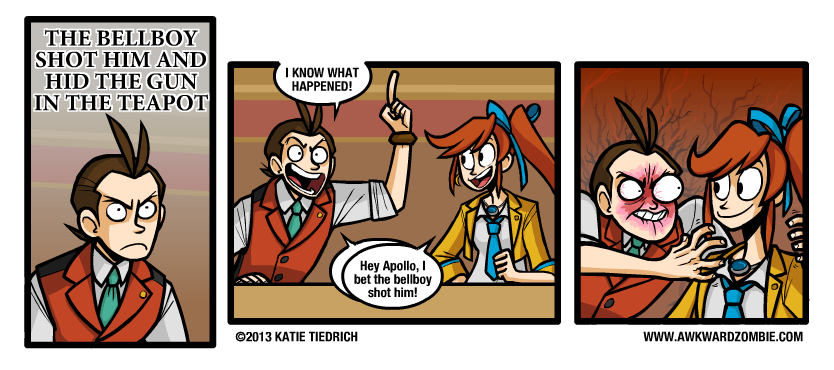
The game does have an annoying habit of spoon-feeding the player.
The Ace Attorney series is no stranger to introducing new gameplay mechanics and gimmicks, but until Dual Destinies, I honestly can’t think of a game in the franchise that took existing elements and trimmed the fat. Overall, the game has the best pacing and flow of the entire series, which is why I think it’s the perfect candidate for a case study on how to streamline gameplay mechanics. Court is now in session!
Dual Destinies managed to impress me, especially where I least expected it: the game mechanics.
Opening Statement: The Investigation Phase
Cases in the Ace Attorney franchise are generally split into two distinct parts: investigations and court sessions. For anyone not familiar with the franchise, defense attorneys in the Ace Attorney universe are two parts lawyer and one part private investigator. They question witnesses, search for clues, and sneak evidence out of crime scenes when the cops aren’t looking, all to prove their client’s innocence. This portion of the job is represented in gameplay with what’s known as the investigation phase and plays much like a traditional adventure game in the vein of the Monkey Island series or Princess Tomato in the Salad Kingdom. These segments of the game are often the longest, and fittingly, most of the trimming the game does is in these portions.
Defense attorneys in the Ace Attorney universe are two parts lawyer and one part private investigator.
Exhibit A: The Search Command
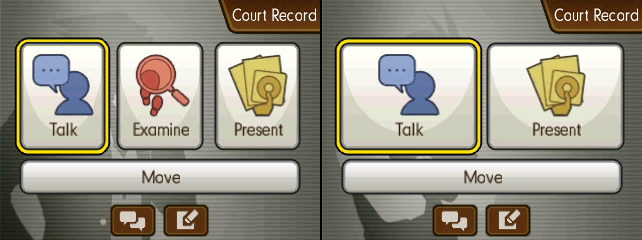
Like many adventure games, players in Ace Attorney games must search the environment to find items they can use, in this case evidence to prove their client’s innocence. The examine command brings up a cursor that the player can then use to click on objects in the environment to investigate them. Now, not everything the player sees in an area is going to be evidence (Phoenix’s office plant, Mr. Charlie, for instance), and when clicked these objects, instead of advancing the plot, will just trigger some flavor text wherein the protagonist and his plucky sidekick humorously palaver on about the object in question (#TeamStepLadder).
A typical investigation from the first game.
Now, in games prior to Dual Destinies, every location was searchable, even if there wasn’t any evidence there (I’m looking at you Wright & CO. Law Offices). This meant players were expected to search every area. Just because a murder occurred in, say, a public park doesn’t mean the player won’t end up searching an abandoned doctors office for clues on the whereabouts of the true killer’s lost shoes.
In games prior to Dual Destinies, every location was searchable, even if there wasn’t any evidence there.
While conventional wisdom looks down on limiting what the player can do, sometimes it can improve the overall experience.The search cursor before and after examining an object.
Dual Destinies improves on this feature in several ways. First, the game limits use of the examine command strictly to crime scenes. This means that there’s only ever one searchable location for the player to worry about at a time, unlike previous games that let the player switch between searching multiple areas, each of which could change depending on event flags. More over, the game now has the courtesy to inform players when they’ve found everything they need, which too often wasn’t clear in previous titles. Lastly, Dual Destinies introduced the ever so subtle—but oh-so-useful—addition of having the cursor take the shape of a check mark if the object being highlighted by the player has already been investigated. Considering that many of the conversations triggered when clicking on something could be quite long, even with fast forwarding, this U.I. feature is something longtime fans can appreciate.
And to top it all of, despite the newly imposed restrictions there’s still plenty of that sweet, sweet flavor text.
Exhibit B: The Travel Menu
Locations in the Ace Attorney series are normally static, disconnected, one-screen “rooms” that the player travels between via selection from a menu. It’s about as utilitarian as it gets, and yet Dual Destinies still managed to smooth out the rough edges. See, for whatever reason, previous games in the franchise had a four option limit on the travel menu, meaning the player could only travel to four other locations from any given area. The way the developers got around this—quite frankly arbitrary—limit was to have each area have its own list of destinations. So, for example, if the player wanted to go from the detention center to the crime scene, they may have to travel to back to Wright’s Office, then to the front door of the building the body was found in, and then to the actual crime scene.
Of course, a sleek, afigimatiko-dynamic game like Dual Destinies isn’t about to put the player through all that for something as simple as getting from point A to point B! Enter the magic that is “scrolling”! With this space-aged technique, players now have the uncanny ability to pick any location from anywhere in the game simply by “scrolling” between options! (Restrictions may apply in accordance to plot demands.)
The Ace Attorney series is known for its inclusion of supernatural elements; scrolling was only a matter of time.
Exhibit C: The Notebook
Anyone who’s played an old-school adventure game can tell you that the worst thing that’s guaranteed to happen to the player at some point is getting stuck without any clear directions. This is why many modern games of all genres keep an objectives list or provide a character who the player can ask for advice at any time. Unfortunately, until Dual Destinies the Ace Attorney games fell into the old adventure game trap of not always giving the player clear directions on what to do next. To make matters worse, N.P.C.s had an annoying tendency to just up and disappear until the player triggered the right event flag. This led to the player constantly going back and forth after every event to see which N.P.C.s had returned to their post and who had new dialog options.
Oh right, I was investigating a murder! I should really get back to that…
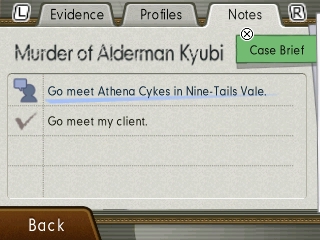
Dual Destinies introduced an extra section to the court record (basically the player’s inventory screen) for notes—which in this case is more of a checklist than a place for the player to jot down information. Any time the player isn’t sure what to do next, they can just open the court record, hit the notes tab, and be on their way. Admittedly, Dual Destinies’ plot is structured in such a way that the player rarely needs extra input, especially once you factor in the previously listed enhancements, but the handful of times I did need it, I greatly appreciated the fact that I could just hit a few buttons and continue the game instead of wandering around in circles for ten minutes.
Any time the player isn’t sure what to do next, they can just open the court record, hit the notebook tab, and be on their way.
Closing Thoughts
What I hope to get across is how seemingly small changes eventually add up. Small U.I. improvements can help better communicate information to the player, which leads to less time spent on tasks that slow progression. Moreover, limiting when a player can perform certain actions—like investigating their environment—can keep them from getting side-tracked or lost. In Dual Destinies’ case, the end result is the first Ace Attorney game that didn’t have me at a complete loss for what to do next at any point. As I mentioned in the beginning of this article, it’s not necessarily the best game in the series (my personal favorite is Apollo Justice), but I will say right here and now that it’s the best structured and paced, all because the developers weren’t afraid to make some compromises regarding many of the accepted, long-standing conventions of the series. I’ll miss you, dear glut of humorous flavor text, but I can’t deny the game’s pacing is better off without you.
About the author:
Glen is a lifelong Nintendo fan and has been an Ace Attorney enthusiast ever since he first played Apollo Justice: Ace Attorney back in 2008. His love of video games has inspired him to pursue a career in computer programming and is currently studying to get a masters in computer science. Despite his name and choice of professions, he is in no way related to Glen Elg.
With the launch of My Nintendo, we got two games to choose from as downloadable platinum points rewards. The first is the exclusive My Nintendo Picross: The Legend of Zelda: Twilight Princess! Is it worth cashing your rewards points in?
Shot by Alex Campbell
“Reformat” Kevin MacLeod (incompetech.com) Licensed under Creative Commons: By Attribution 3.0 http://creativecommons.org/licenses/by/3.0/
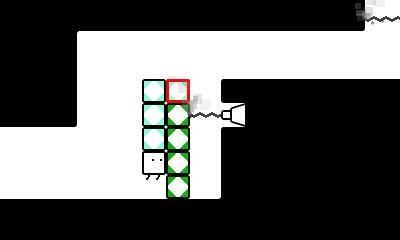
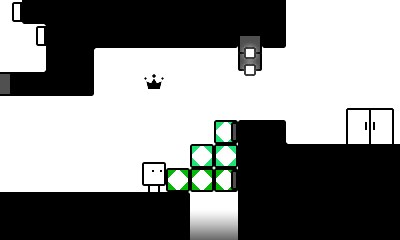
BoxBoxBoy! is the sequel to the hit downloadable puzzle game BoxBoy! for the 3DS that expands on the original, quite literally, as this time around you use two sets of boxes instead of one. While no prior experience with the original is needed, it really helps as the mechanics you learn over the course of an entire game you learn in a few levels. You’ll still be hopping on and throwing boxes, along with hooking onto ledges and snaking your way through narrow paths, and it’s all still a lot of fun.
Hooked on a feeling.
The only new idea is creating two sets of boxes, but that’s okay as it completely changes the way you have to solve the puzzles and sometimes significantly ramps up the difficulty. There’s still plenty of switches, spikes, and lazers to deal with and it definitely had me stumped for a while on more than one occasion. There are usually a few levels in a row where you use the same mechanic in increasingly difficult puzzles, only to ditch it for a long while and come back to it when you’ve forgotten about it. Absolutely fantastic level design and it made feel dumb for not realizing the solution much soon than I had. There are bonus levels in which you replay chunks of levels you previously completed except this time with either the ninja or the bunny costume from the first game, but you have a lot less boxes at your disposal.
Two sets of boxes, twice the challenge.
The collectible crowns are back once again. If you’re not familiar, think hidden coins from Mario, except you have a limit of boxes you can create until it disappears. Being the OCD gamer I am, I had to get all of them, and a few were extremely difficult. It adds a lot to the way you approach levels and to the overall replay-ability.
BoxBoxBoy! really stacks up to the competition!
The more crowns you get, the more coins you get at the end of every level, which can be spent in the games shop. There you are able to purchase new costumes, short a quirky comics, and music from the game. All of the costumes you unlock from the original BoxBoy! transfer over too, which is a neat little addition.
There’s quite a lot of content for the price and is a great buy for the puzzle and platformer fan alike. While I recommend playing the original game first, this is a sequel that lives up to the original and shouldn’t be missed.
Now that Smash Bros. for 3DS and Wii U has been out for a year, we’re doing the most natural thing: Compiling a list of characters for the next Smash Bros. Game! Who makes your cut?
Shot by Alex Campbell
“Reformat” Kevin MacLeod (incompetech.com) Licensed under Creative Commons: By Attribution 3.0 http://creativecommons.org/licenses/by/3.0/
In the first-ever installment of Live Show News, we’ve got our crystal balls out to talk about the ~future~ of video games! Wii Shop Channel? Mega Man? 2D Metroid? It’s all here, and discussed by Simeon and Scott!
“Escape the Premises” Kevin MacLeod (incompetech.com)
Licensed under Creative Commons: By Attribution 3.0
http://creativecommons.org/licenses/by/3.0/
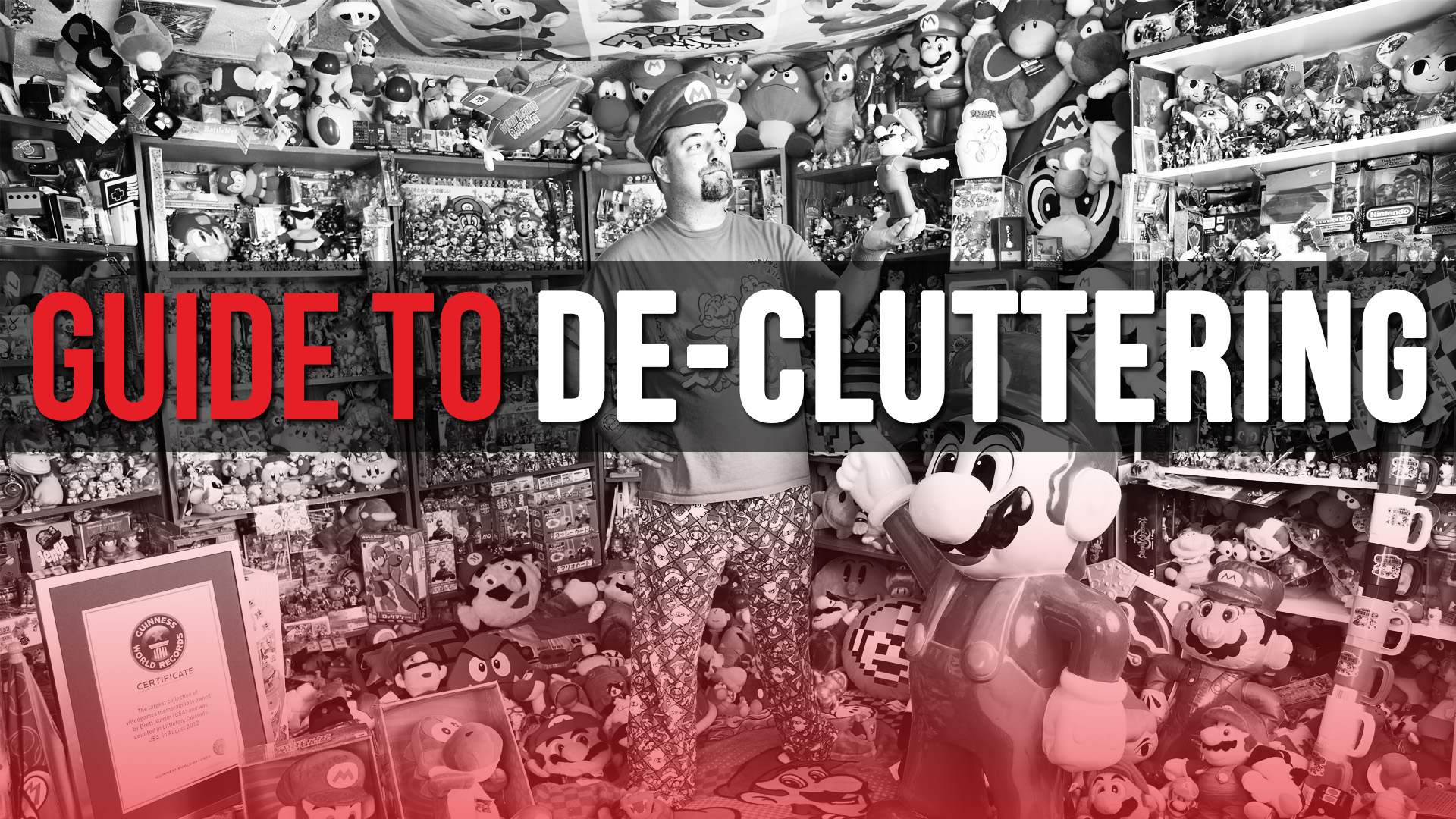
Recently I have been looking to downsize my video game collection. I am giving away and selling some old consoles, games, and accessories (blasphemy, I know). The fact is, I am a pack rat, but there are just some games that I do not play anymore, and I need to do some de-cluttering. I have had to think long and hard before I made the really difficult decision to toss some of the games in my closet, but the experience has been a freeing one. Not only do I have less “junk” lying around the house, but I no longer feel bound to my possessions, which is extremely freeing. So, if the thought of getting rid of a single game in your collection has you mumbling incoherently in the fetal position, let a fellow gamer lend you a hand.
These are the questions I ask myself of each game/piece of equipment I come across in my sorting adventures.
Do I even like this game?
I have a hard time getting rid of any game. I see that, as a thing, it has to have some sort of monetary value. I purchased it (or it was a gift to me), and, therefore, somebody spent good money on this! I cannot just throw it out, can I?
Well, it turns out I can. I do not really care for sports games, though my older brother did. I have cut a good portion of my clutter size down by being honest with myself, saying, “He might have liked this, and I might have had a good time or two, but I would rather be playing something else if I had the choice.” Remember the good times, but do not be afraid that your memories will fall out of your head if you get rid of something.
I almost wish I had kept this game it was so bad.
Does it work?
This is a similar question to the one above but is usually in reference to hardware. We either think, “I put money/time into this, even though it is broken.” Sometimes we try to rationalize, “I am going to get this fixed, someday!” even though you have no intention (much less the time or money) to actually fix it. I am not saying that broken equipment never has enough sentimental value to keep it solely “for old times’ sake”, but, like with bad games, if the memory is that important to you, it will not go away because your busted GameCube is in the dumpster.
How long has it been vs. how long have I had it?
This one is extremely practical. I have Wii games that I have had for years but never play anymore. They are going out with my next batch of games to be pawned at a small, but reasonable price.
Some games I have, though, just have not been given the chance to outstay their welcome. On one hand, I have hardly played Super Smash Bros. for 3DS since the release of the Wii U version. On the other hand, the game is only a few years old, and I have not had the chance, necessarily, to go “back” to it yet. Maybe I will want Smash Bros. on the go sometime soon. If I am asking myself that in ten years, however, I might have to take a second look.
There is another side to this, of course. Scott has been in the mood to sell his games soon after purchase because he does not see himself returning to the title. He gets the biggest bang for his buck by reselling right away, as opposed to seeing the game collect dust, and trying to get rid of it after the game is out of date.
Do I have this game in a more convenient form (Virtual Console, collections/anthologies, etc.)?
“But this is the original NES cartridge! Playing it on a modern console, even though it has been perfectly faithfully been ported, is just not the same!” This is one that, as a pack rat, I have had to wrestle with constantly. I am getting rid of many of my NES cartridges because I have them on collection elsewhere. Yes, this even includes some of my original series Mega Man games (but not my world record Mega Man 6 cart. That thing is getting framed or something). Collections are not only a great way to make accessing your games more convenient, but they also pave the way to downsizing, which is a good thing.
Is this an outdated version?
This question does not apply to most genres, as, usually, each version of a game brings something completely unique to the table. Fighting games, on the other hand, are often outdated by the next version. Is Marvel Vs. Capcom 3 REALLY worth keeping when you have the Ultimate version? Sure, there is a UI difference, but balancing patches and new characters have just made the update a better game. Let it go.
Do I have alternative console methods?
Because I have a Retron 3 I will probably be getting rid of my NES and SNES. The only downside to saying goodbye to them would be my inability to use my wireless NES multitap (though, if I got a wired one, my problem would be no more).
Retrons and similar consoles allow for ease of access and space saving. Retrons even allow you to use the original console’s controllers.
Also, you might have access to an emulator, like a Raspberry Pi. Not that I am advocating illegal emulation. Or admitting that I use my Raspberry Pi for emulation. I am not.
… Admitting it, that is.
These are some of the considerations that I used in sorting through my video game collection. Take it from someone who has been there: the process may be difficult, but the rewards are well worth it. Tune in next time as we discuss proper console dusting techniques!
I’m one of the first people to happily wave goodbye to the 3DS.
It’s low-resolution screen looked behind-the-times the moment I laid eyes on it on launch day. However, there is one aspect of its visuals which I will miss: glasses-free 3D.
Nintendo pulled something incredible off by releasing the only mass-market device employing the technology. Personally fine-tunable by a slider, no less!
The company also made a wise move in never requiring 3D visuals to advance in any games, ensuring those too young, who had eye problems, or just preferred flat images, weren’t forced to see in 3D.
But boy was it helpful.
Super Mario 3D Land, for example, is a fantastic title that takes full advantage of the unique screen hardware. I have a harder time lining up precise jumps on my Switch.
If you’ve ever bought a Nintendo handheld, this has happened to you: you saved up, bought your system, and seemingly the next day Nintendo releases the hardware in a different color.
This is becoming a problem for Switch owners as well. Early adopters had the choice between grey or Neon Joy-Con, but little did we know that Nintendo would release not one but two console bundles with exclusive controller colors… in just over 6 months!
It’s just common practice for the Big N. They revitalize sales by injecting new collectible colors into the market.
People say that the install-base for 3DS is 60-70 million. It’s not. That’s how many systems have sold, period, not unique users.
The question becomes, when do you buy the system? When do you wait for a different color or edition? Galaxy, Samus, creamsicle, you name it… it could be on the way; right around the corner, three years from now. Or never.
Lucky for you, I have the perfect answer! Oh wait—no, I don’t. It’s entirely subjective, but here’s what I personally like to do: as an early adopter, purchase one of the first editions. Skip all the other bundles and plastic dyes until the actual internal hardware is improved. For example, I bought the original blue 3DS (the one that looked like a tiered cake). I didn’t upgrade until the New 3DS XL was released (and no, they haven’t convinced me to downgrade to any model of 2DS).
In a perfect world, Nintendo would handle this a lot differently. See, releasing the best stuff midway into a platform’s lifecycle is bad for your early adopters. It teaches fans the lesson “always wait to buy—the best is yet to come.”
To combat that: release all the best editions at the start. Make them “limited,” invite the masses onto the platform and let them choose from many different configurations. Once early adopters have been satisfied, narrow down the offering. Make it simple and easy for latecomers to choose a SKU.
The objection here is that console launches are hard, and releasing multiple colors complicates the production and fulfillment side of things. I acknowledge that, but Nintendo already has production issues, so why not work on those and kill two birds with one stone? They need to start sitting on inventory until they have enough to appease day-one buyers anyway. A conversation for another day.
I propose a method that will reward Nintendo’s loyal customers, not punish them and teach them to wait and buy.
Some of you, the Crew, may have noticed that I am usually a little behind the times when it comes to my hardware library. If you were to ask me what I have been playing recently, you will probably catch me talking about Smash Bros. or about an older handheld title. It is an interesting dynamic, keeping up on current Nintendo news and zeitgeist, while not updating my Nintendo library alongside other Nintendo fans.
But I know it is not just me that has a hard time keeping up with Nintendo’s ever-expanding hardware and software library. I would like to start a discussion here on being a Nintendo fan on a budget. I want to keep it practical and easy, and I will kick it off with a few of my own tips and tricks.
Manage your Expectations
Before we get to practical application, we have to begin with the proper mindset. As I said before, Nintendo never stops making great consoles and games. It is not possible for pretty much any Nintendo fan to acquire everything they put out, much less spend quality time with each game. Not only can the quantity be overwhelming, but, just like it would be with any other hobby, playing video games is expensive. It may be true that gaming now is more affordable than ever, but that does not change the fact that even (most) gamers have bills to pay.
Also, refuse to get caught up in “must-play” mentality. It is fine to set goals of games you want to eventually play, but, as I have gone on record saying, do not let other people dictate the games you play. Just because a game is “10/10” or a “classic” does not mean you have to play it to be a Nintendo fan. Do not feel pressured into playing a game. It is likely you will not enjoy your experience, and the anxiety to acquire and complete that title is not worth it.
Bum Off your Friends
This is one I do a lot. There are some titles that are worth owning, and you and a friend each have your own copies. Often times with fighting games and other competitive games, you will want a copy for yourself to be able to play and improve at your own pace. Many other single-player ventures, however, can be experienced once through to satisfy your need. In these instances, it is handy to have a friend that can lend you the game and/or system. It is how friendships should work.
(Okay, maybe “bum off your friends” is a little over the top, but it gets my point across.)
Scott has lent me games on numerous occasions, and I have lent him some of my own things as well. Reciprocation is a healthy way to build a friendship. Often Scott will be too busy to play for a month, so he will allow me to borrow a game for that period. Currently, my wife and I are enjoying the SNES Classic. Later on, he just might have a problem that I’d understand. We all need somebody to lean on.
Check Pawn Shops
Now, no matter where you go, new equipment and games will probably cost you a few coins. But, if you have managed to manage your expectations properly (see what I did there?), you will not be driven by your need for the new stuff. This is where you have a decision to make: do you save up some money and/or wait for the new stuff to come down in price, or do you go for the bargain old junk at the pawn shop or eBay? Nintendo has so many classics to explore for the systems that you already own, and they can be more than reasonable in price.
Also, with pawn shops, you never know what you will find. Maybe you will run across a rare gem that would be exorbitantly priced elsewhere, or you might find a game that looks cheesy and bad for twenty-five cents, take it home, and make a new memory of the terrible piece of trash you found. You could even find a reasonably-priced old Nintendo console, allowing you to retread the glory days of your childhood, or see what gaming was like when your parents were kids.
Of course, if you want to get really edgy…
Foray into Non-Nintendo Fare
*Gasp!* Say it isn’t so! Am I suggesting you play something on a non-Nintendo console? Of course! If you have never owned a Sega console, pick one up at a local thrift store or pawn shop. I can recommend several titles, if you need any assistance digging for gold. All sorts of retro consoles wind up in second-hand stores, or in your uncle’s closet; grab one and try it out! Games can be cheap, and it exponentially broadens the field of games you can play. If anyone knows the value of playing retro games (even on non-Nintendo consoles), it is the staff here at Two Button Crew.
I hope this article has been an encouragement to you, especially if you are on a tight budget. You are not alone, and you can enjoy new experiences no matter your financial plan.